MoaV Deploy
MoaV Deploy is a phone app for Android and iOS that installs, manages and monitors your own MoaV server over SSH. It drives the moav CLI on the server and gives you a phone-sized control panel for the things you do every week: add a user, hand out a bundle as a QR code, restart a service, check health.
A server admin tool, not a VPN client
MoaV Deploy never routes your phone's traffic. To connect to a MoaV server, use any of the client apps with the bundle this app produces.
Get the app
| Platform | Channel |
|---|---|
| Android | Google Play (open testing) |
| iOS | TestFlight |
| Source and signed APKs | MotherofallVPNs/moav-deploy-app |
What you need
- A server with root SSH access. Any VPS that meets the MoaV requirements works; the VPS Deployment guide covers creating one.
- A way to log in: the server's root password, or an SSH key. The app can generate an ed25519 key on the device and install it for you.
- A domain, optionally. Point it at the server first (DNS Configuration). Without a domain the app installs in domainless (IP-only) mode: the installer turns off the certificate-dependent protocols and everything else works as normal.
Quick start
1. Add your server
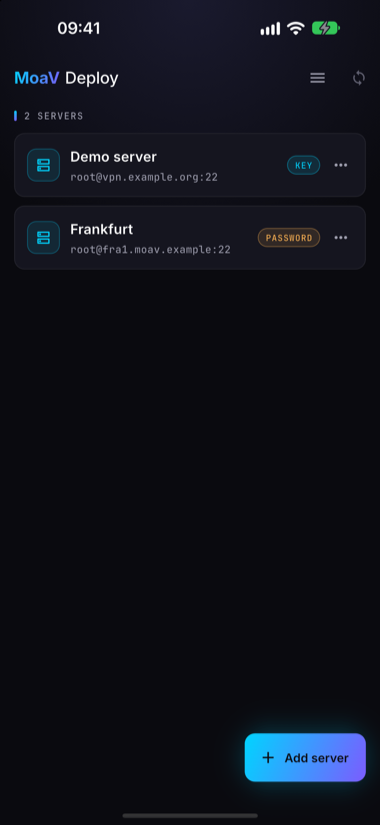
Tap Add server. Enter the host (IP or hostname), port and user, then choose how to authenticate: pick a key from the app's keyring or enter the server password. With a password, the app offers to install its own key on the server so later logins use the key instead.
2. Install MoaV
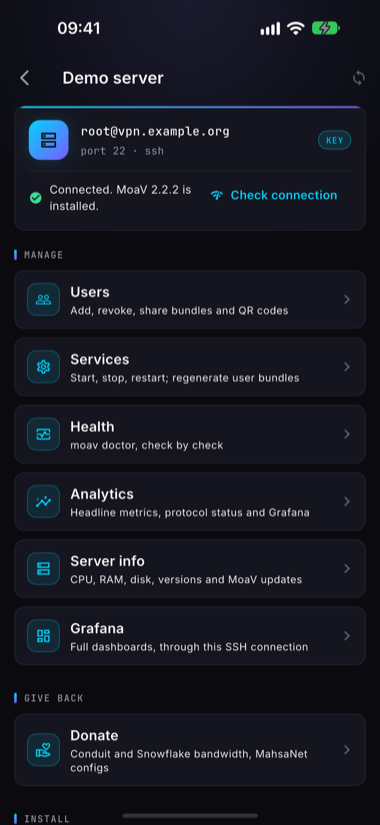
Open the server. The status line tells you whether MoaV is installed. On a fresh server, open Install MoaV from the Install section, fill in the installer inputs (domain or blank for domainless, admin password, which protocols to enable) and tap Start install.
The install runs detached on the server. You can background or close the app; it reattaches to the running job when you come back. Re-running it later is safe: an existing install, its users and keys are kept.
3. Check services and health
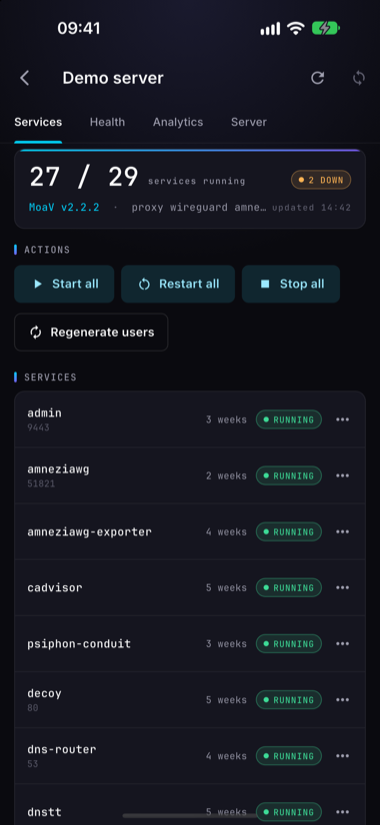
Services shows how many services are running, with Start all, Restart all and Stop all, per-service actions, and Regenerate users to rebuild every bundle.
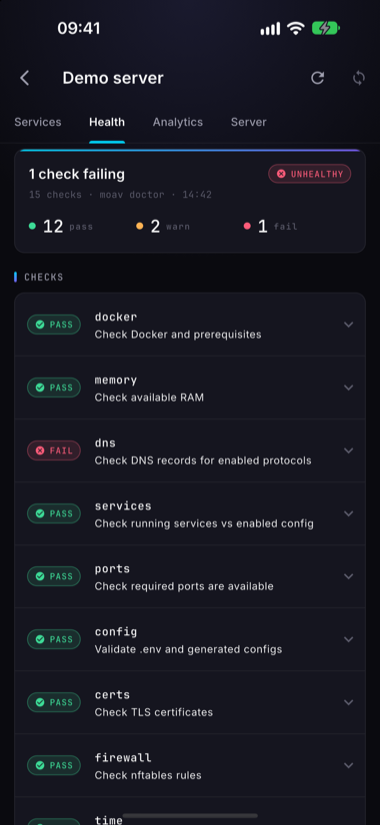
Health runs moav doctor and lists each check as pass, warn or fail. Expand a failing check to see what to fix.
4. Add a user
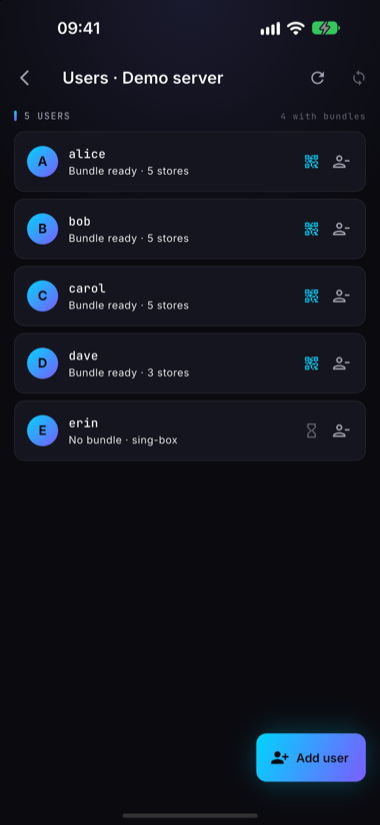
Open Users and tap Add user. Give the user a name; the server builds their bundle and the list shows Bundle ready once it is done.
5. Share the connection bundle
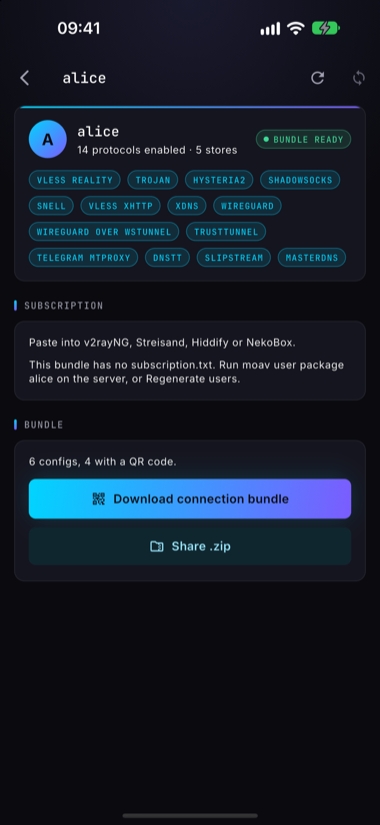
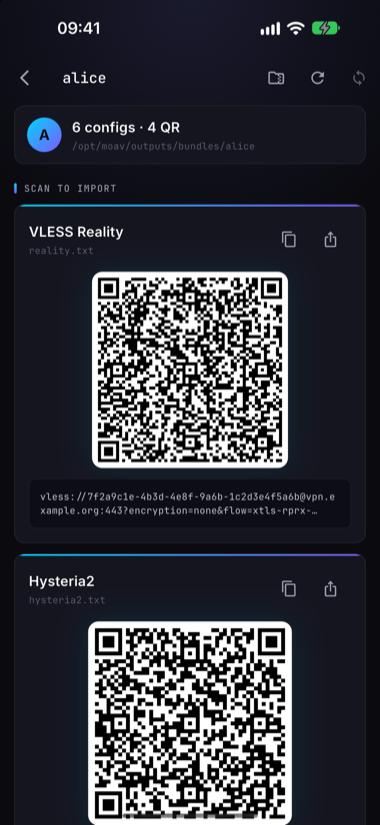
Open a user. Download connection bundle pulls the user's bundle from the server and shows each connection link as a QR code. The person connecting scans it from their client app. Share .zip sends the whole bundle through any share target on your phone (a messenger, AirDrop, a file).
Private by design
- No accounts, no backend, no tracking. The app talks only to your server, over SSH. There is no analytics and no telemetry. See the privacy policy.
- Keys stay on the device. SSH keys, hosts and passwords live in the platform secure store (Keychain on iOS, Keystore on Android) and never leave the phone except inside the SSH session you start.
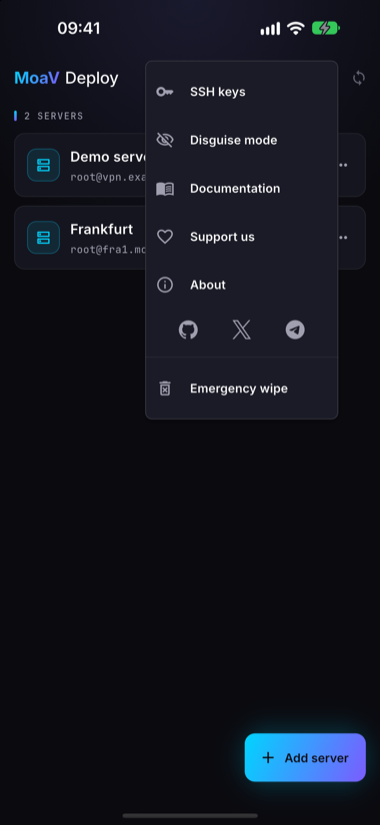
- Built for at-risk users. Biometric app lock, an Emergency wipe that clears every stored server and key, and a Disguise mode that presents the app as a plain notes app until a secret gesture and passcode reveal it.
More
- Source, issues and releases
- CLI Reference for what the app runs on the server
- Troubleshooting for server-side problems